
Table of Contents
- Two very different questions hide inside “is it safe?”
- What the bank’s app is responsible for
- What you are responsible for: five settings worth checking right now
- The real risks that are not about the app itself
- A five-minute audit you can do while reading this
- When to actually worry, and what to do
- The honest bottom line
- Frequently asked questions
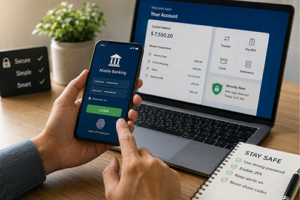
Short answer: yes, mobile banking is generally safer than most people fear, as long as you handle a few basics on your end. For most people, a bank’s app is one of the safer ways to check a balance or move money, because the data is encrypted and the bank watches for unusual activity around the clock. The catch is that “safe” depends partly on you, not just the app. The real modern risk is rarely a hacker breaking into the app itself. It is someone tricking you into handing over a code or approving a transfer you did not mean to make. Once you understand that split, mobile banking stops feeling like a gamble.
We do not sell a bank, an app, or a security product, so this is written to explain how the pieces actually work, not to steer you toward anything. For anything specific to your own money, please read our disclaimer.
Two very different questions hide inside “is it safe?”
Most articles blur two separate things together, which is why people stay confused. There are really two questions:
- Is the app itself secure? This is the bank’s responsibility. Encryption, login protection, and fraud monitoring all sit on their side.
- Are you secure when you use it? This is your responsibility. Your screen lock, your passwords, and your ability to spot a scam all sit on your side.
Keeping these apart matters because they fail in completely different ways, and the fixes are different too. Let’s take each side in turn.
What the bank’s app is responsible for
When you open a reputable banking app, several protections are already running whether you notice them or not.
Encryption. The connection between your phone and the bank is scrambled so that anyone intercepting the traffic sees gibberish, not your balance or login. This is the same kind of protection behind the padlock on a secure website. It is the single biggest reason the “someone on the coffee shop wifi can read my bank details” fear is mostly outdated, which we cover below.
Session handling. Good apps log you out after a period of inactivity and require a fresh login or a fingerprint if you step away. This limits what someone could do if they picked up your unlocked phone.
Fraud monitoring. Banks run automated systems that flag transactions that do not fit your normal pattern, such as a sudden large purchase in another country. This is why you sometimes get a “was this you?” text. It is a safety net working in the background.
Real-time alerts. Most apps can notify you the moment money moves. This does not prevent fraud by itself, but it dramatically shortens the time between “something is wrong” and “I caught it,” which is often the difference between a reversed charge and a lost one.
None of this requires you to be technical. It is built in. Your job is not to build security. It is to avoid switching it off and to avoid handing the keys to the wrong person.
What you are responsible for: five settings worth checking right now
Here is the part no bank’s own page will frame this bluntly, because the honest version puts some responsibility on the reader. The app is rarely the weak point. You are the part a scammer targets. The good news is that a handful of settings do most of the protective work, and you can check all of them in about five minutes.
- A screen lock on your phone. This is the foundation everything else sits on. If your phone has no PIN, pattern, or biometric lock, then your banking app is only as safe as whoever is holding the phone. Turn it on first.
- Biometric or two-factor login for the app. Fingerprint or face login is both faster and harder to steal than a typed password. Pair it with a second verification step so a stolen password alone is not enough. Two-factor is important enough that we explain it on its own in two-factor authentication for banking.
- Transaction alerts turned on. Some apps enable these by default, and some make you switch them on. Turn on notifications for logins and for money leaving the account. Early warning is worth more than almost anything else here.
- A unique password you do not use anywhere else. Reusing a password means a leak on some unrelated website hands criminals your banking login too. The FTC’s consumer guidance makes this point plainly: do not use the same username and password across different sites. A password manager makes this painless.
- App updates and phone (OS) updates left on. Updates are where security holes get patched. An out-of-date phone is a bigger real-world risk than the public wifi everyone worries about. Leave automatic updates on.
Notice what is not on this list: nothing exotic, no paid tool, no technical skill. These five habits cover the large majority of everyday risk.
The real risks that are not about the app itself
If the app is well built and your basics are in place, where does the danger actually come from? Almost always from outside the app.
Being tricked (the risk that dwarfs the others)
This is the one that matters most. The FBI’s Internet Crime Complaint Center (IC3), which collects fraud reports in the United States, has consistently found that the large majority of reported losses come from schemes that manipulate a person into sending money or handing over access, not from criminals cracking a bank’s systems. Phishing and impersonation are perennially among the most-reported crimes it tracks, and reports in 2025 noted criminals increasingly using AI to make these lures more convincing.
In plain terms: the scammer does not break the vault. They call you pretending to be your bank’s fraud department, create panic, and talk you into reading them a verification code or approving a transfer yourself. The app worked perfectly. The human was the target. Because impersonation is so central, we cover it separately in how bank impersonation scams work. The one rule that defeats most of them: a real bank will never ask you for a login code, password, or one-time PIN. If someone does, it is a scam, full stop.
Fake lookalike apps
Criminals sometimes publish counterfeit apps that copy a bank’s name and logo to harvest logins. The defense is simple: install banking apps only from your phone’s official app store, and ideally reach it through a link on your bank’s own website rather than a search result. Check the developer name and the download count. A real bank’s app has millions of installs and a verified publisher.
SIM swapping
In a SIM swap, a criminal convinces your mobile carrier to move your phone number to a device they control, so text-message codes come to them instead of you. It is less common than phishing, but real. Two defenses help: set up a PIN or passcode with your mobile carrier, and where your bank offers it, use an authenticator app or a passkey instead of text-message codes for two-factor.
Public wifi (the risk that is mostly overstated)
Here is the myth worth retiring. The old advice that “you must never bank on public wifi or a stranger will steal your details” is largely out of date. Because banking apps and secure websites encrypt your connection, the FTC’s own consumer guidance now states that a secure (https) site encrypts your information even when the network itself does not. Someone sitting near you at a cafe generally cannot read your bank balance out of the air simply by sharing the network.
That does not make public wifi risk-free. The residual concerns are things like a fake “evil twin” hotspot set up to imitate a real one. But for a reader using a real banking app with encryption on, the coffee-shop network is far less dangerous than the fear implies. If you want to remove even that small risk, using your phone’s own cellular data instead of wifi sidesteps shared networks entirely. It is a reasonable habit, not an emergency.
A five-minute audit you can do while reading this
Open your banking app and your phone settings, and check:
- Is there a screen lock (PIN, pattern, or biometric) on the phone? Turn it on if not.
- Does the app offer biometric login and is it enabled?
- Are transaction and login alerts switched on?
- Is your banking password unique, or is it reused elsewhere? If reused, change it.
- Are automatic updates on for both the app and the phone’s operating system?
If you can answer yes to all five, your everyday risk is already low. This short audit does more for your safety than any single product you could buy.
When to actually worry, and what to do
Stay calm, but act quickly if you notice any of these:
- A transaction you do not recognize, or an alert for a login you did not make.
- A message or call pressuring you to move money “to keep it safe,” or asking for a code.
- Your phone suddenly loses cellular service for no clear reason, which can signal a SIM swap.
If something looks wrong, do not use a phone number or link from the suspicious message. Contact your bank using the number printed on your card or on the bank’s official website, and freeze or lock the card from inside the app if you can. For the full step-by-step on preventing these situations in the first place, see our guide on how to protect yourself from financial fraud online. If money has already moved, our page on where to report financial fraud and get real help lists the right authorities to contact by country.
The honest bottom line
Mobile banking is, for most people, a safe and often safer way to manage money than the alternatives, precisely because the encryption and monitoring are strong. The weak point is almost never the app. It is a moment of trust exploited by someone pretending to be on your side. Get the five settings right, learn to recognize the “give me a code” trick, and you have handled the parts that actually matter. Security and convenience are not opposites here. Done sensibly, mobile banking gives you both.
Frequently asked questions
Is it safer to bank on the app or on a phone browser?
The bank’s app is generally the safer choice. Reputable apps are built with encryption, biometric login, and session timeouts, and they are harder to spoof than a web address you might mistype. Just make sure you installed it from the official app store.
Can someone steal my bank details over public wifi?
It is far less likely than the old warnings suggest. Because banking apps and secure sites encrypt your connection, the FTC notes that a secure site protects your information even when the network does not. The bigger risks are being tricked by a scammer or using a fake hotspot, not ordinary snooping.
What is the single most important thing I can do?
Put a lock on your phone and never share a login code or one-time PIN with anyone, including someone claiming to be your bank. A real bank will never ask you for it. Those two habits stop the majority of real-world losses.
Are text-message codes safe for two-factor login?
They are much better than nothing, but they can be undermined by SIM swapping. Where your bank offers it, an authenticator app or a passkey is a stronger second factor. We explain the options in our two-factor authentication guide.
How do I know a banking app is the real one?
Download only from your phone’s official app store, ideally through a link on your bank’s own website. Check that the developer name matches the bank and that the app has a large number of downloads and reviews. Counterfeit apps usually have few installs and a recent publish date.
FinMateMastery explains how financial security works in plain language. We do not sell banking products, apps, or security tools, and nothing here is personal financial advice. Please read our disclaimer.
